
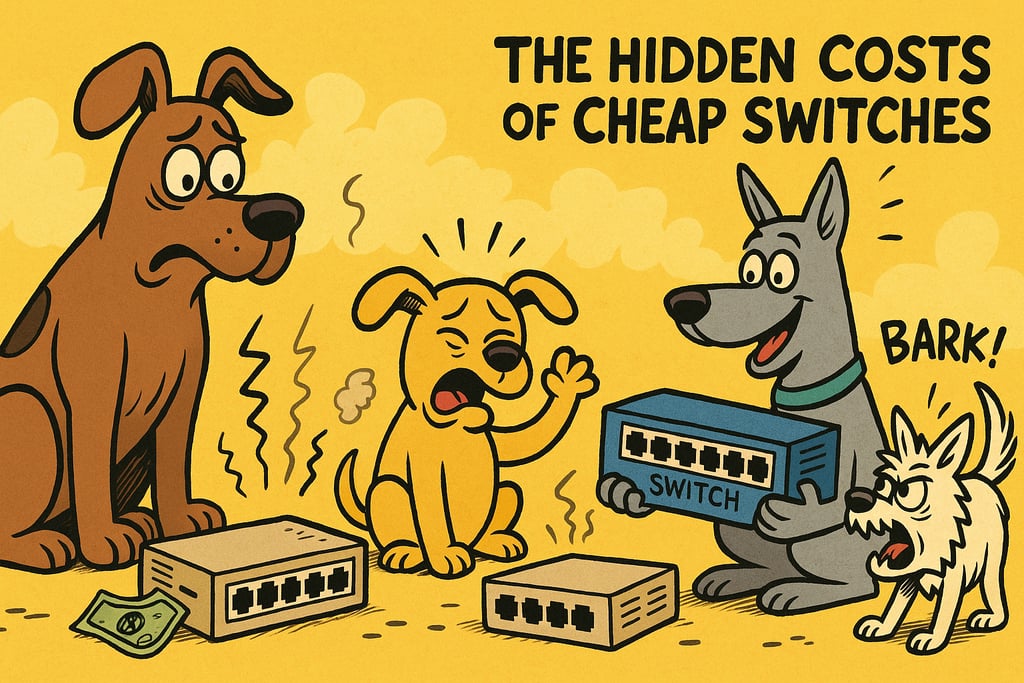
The Hidden Costs of Cheap Switches
9/14/202511 min read
The Hidden Costs of Cheap Switches
(And When an Upgrade Pays for Itself)
How Bargain-Bin Networking Gear Sweet-Talks Your Budget… Then Slowly Steals Your Soul
When "Budget-Friendly" Isn't Friendly at All
There's a moment that every business owner experiences. You're looking at your networking budget, wincing a little, and you see it: a network switch for $29.99. It calls to you like a siren. Choose me, it whispers. I'm the same thing as that $400 one, just more affordable.
That's when you should remember the gas-station sushi analogy. Sure, it looks like sushi. Sure, it's technically made of rice and something that once swam. But somewhere around hour three, you'll understand why you didn't spend the extra five dollars at the restaurant.
Cheap switches operate on the same principle. They seem like a win for your budget today, but they become a loss leader by next Tuesday. The costs don't disappear—they just migrate to power consumption, unexpected downtime, constant troubleshooting, and that special feeling of regret that only comes from buying networking gear from a brand that sounds like a prescription drug you wouldn't want to take.
Here's the truth: Cheap switches seem like savings, but hidden costs add up in power bills, PoE limitations, performance problems, missing features, downtime disasters, and a lifespan measured in bathroom trips rather than years.
The Illusion of the Cheap Switch
Why Smart People Make Dumb Switch Purchases
We all fall for it. The budget exists. The setup is small. You've got this eternal optimism that whispers, "How bad could it be?" (Narrator voice: It was bad.)
Manufacturers know exactly what you're thinking. They've engineered the race-to-the-bottom pricing model with surgical precision. Want to drop the price by 60%? Cut the power supply. Use cheaper capacitors. Skip the real management features. Forget firmware updates after version 1.0. Congratulations—you've got yourself a network switch that technically works, like a car that technically runs (if you don't mind the transmission fluid smelling like burnt rubber).
What Actually Goes Into a $20 Switch vs. a $400 Switch?
That $20 switch? You're mostly paying for plastic, a handful of cheaper components, and the manufacturer's decision to prioritize the price tag over, well, everything else.
That $400 switch? You're investing in real power supplies, quality components that don't fail in 18 months, proper thermal management, actual firmware support, real security features, and engineers who thought about your problem before you had to call them at 2 AM.
The mental image: imagine building a car with the $20 budget of a Matchbox and the $400 budget of a mid-range sedan. One looks about right. The other one has a steering wheel made of string.
Power Budget: The Silent Wallet Assassin
Let's talk about something that keeps networking people awake: power budgets. Here's the plain-English version: a power budget is like trying to run an entire house with only one outlet.
Your cheap switch claims "8 ports of PoE!" in letters so big they could be seen from space. But here's the secret language: if all 8 ports could theoretically power a device, the switch would catch fire. So the real-world situation? You can fully power maybe 2 to 3 devices before the switch starts making tough choices about which devices get electricity and which ones get to sit in the dark.
The Consequences Get Weird
Cameras randomly rebooting like they've just discovered spirituality and need a moment to find themselves. Then finding themselves. Then rebooting again. Your security system is now a performance art piece.
Access points dropping mid-call like fainting goats at a petting zoo. Your users are having conversations that end mid-sentence, followed by that special silence that precedes angry Slack messages.
VoIP phones powering on at 50% capacity, which means someone picks up the handset, and nothing happens. Then if they power-cycle, another device on the switch loses power. It's musical chairs, but everyone loses.
A properly managed switch with a real power budget handles this like an adult handling their caffeine intake: responsibly, predictably, and without anyone passing out unexpectedly.
The difference? A quality enterprise switch delivers what it promises. A cheap one delivers what's convenient—for the manufacturer.
PoE Standards: Not All Electricity Is Created Equal
Time for another plain-English definition: PoE (Power over Ethernet) means you're sending both data and electrical power through the same network cable. Neat, right?
Wrong. Here's where cheap switches get creative with the truth.
Cheap switches often support "PoE-ish," "PoE-adjacent," or what IT professionals call "PoE if the wind is blowing north-northeast." They'll claim standards compliance while delivering voltage so inconsistent that devices start behaving like they're running on fumes.
The Hidden Costs Are Real
Fried devices: When voltage fluctuates, connected gear dies. That camera? Fried. That fancy conference room phone? Fried. That AP that was supposed to last seven years? Fried by year two. Congratulations—you've turned your network switches into an expensive device destruction system.
Underpowered gear struggling to function: Your cameras capture footage at half resolution because they're too busy managing unreliable power. Your APs run on one radio instead of two. Everything operates in degraded mode, and no one knows why because "the switch says it's fine."
Constant troubleshooting: IT teams spend hours asking questions like "Why is camera #7 acting like it owes money to the mob?" (Spoiler: it's the switch.)
Choosing the right PoE standard is exactly like choosing the right dog breed: you want the one that won't destroy your house, won't betray your trust at critical moments, and will still be working properly when you need it most.
Throughput: When Your Switch Is the Slowest Person in the Checkout Line
Throughput, in terms your CEO will understand: it's how fast your switch moves traffic without tripping over itself.
Cheap switches have a hidden problem: oversubscribed internal bandwidth. Imagine a highway designed for 10 lanes of traffic but with only one actual lane of road. Sure, everyone fits on the onramp, but the moment traffic starts flowing, things get ugly.
Additional problems in cheap switches:
Tiny buffers that can't handle traffic spikes. That burst of video streaming? Gone. That backup that needed to happen? Wait in line.
Dropped packets like they're hot potatoes that the switch can't wait to be rid of. That VoIP call you're on? Starts sounding like a bad cell connection. Video streams? They stutter like someone's nervous about public speaking. Users complain (which, by the way, is the most important performance metric of all—worse than latency, better than being fired).
Compare that to an upgraded switch: it's like the Costco checkout person who can ring up 300 items before you blink. It doesn't break a sweat. Everything flows smoothly. Customers are happy.
Feature Sets: The "Extras" That Aren't Really Extras
Here's where the gap between cheap and quality gets honestly embarrassing.
Cheap switches usually offer a choice: unmanaged (no features at all, just ports), or "managed" in name only (features that exist but work like a screen door on a submarine).
Real enterprise switches offer VLANs that actually work, QoS that isn't just cosmetic decoration, security features like ACLs and port security, and actual diagnostics so troubleshooting doesn't become a séance where you're just hoping something makes sense.
The Real Cost Calculation
Cheap switches lacking these features create a hidden expense:
Increased labor: Your IT team troubleshoots problems that wouldn't exist with proper network management. That's time (and salary) you're throwing at a problem that $200 more in hardware would have solved permanently.
More downtime: Without QoS, everything is treated equally—which means your mission-critical business call gets the same priority as someone's YouTube habit. Without VLANs, security problems spread like gossip in a small office. Without diagnostics, finding problems takes forever.
More "please fix this" tickets: The backlog grows. Frustration increases. Users start booking meetings to complain about the meetings where they complained about the network.
Growing resentment toward whoever approved the purchase: Which might be you. And now you've got to live with that knowledge every morning at the coffee machine.
Longevity: Why Cheap Switches Age Like Milk
Let's talk about MTBF, which stands for "Mean Time Between Failures." Translation: how long until this thing decides it's had enough and quits?
Cheap switches have the lifespan of an intern who didn't like the job.
They suffer from:
Inferior components that were chosen based on cost, not durability. Capacitors that fail. Power supplies that overheat. Fans that sound like a helicopter in a metal can.
Chronic overheating because nobody bothered with decent thermal design. The switch runs hot, components degrade faster, failure rates accelerate.
Firmware that was last updated during the MySpace era. Security holes remain open. Bugs never get fixed. The manufacturer moved on three business models ago.
The Result? A Networking Graveyard
You're replacing switches every 1 to 3 years. That's not a network maintenance plan; that's budget death by a thousand Amazon orders. You open a drawer one day and find yourself asking, "Why do I have a collection of dead switches here? Did I accidentally start a museum?"
Meanwhile, a quality switch from 8+ years ago? Still running. Still updated. Still reliable. It's boring. That's the point.
Downtime Costs More Than Hardware
Here's the thing about cheap switch failure: it's not just the hardware cost. It's everything that happens when the network goes down.
Lost productivity: Your team isn't working. They're staring at screens that won't connect. Productivity per dollar drops to zero.
Security blind spots: Without monitoring, you don't know what's happening on your network. That's the moment bad actors like their chances. Data breaches don't announce themselves with a memo.
Angry executives discovering what "networking" actually is: The C-suite suddenly has opinions about your infrastructure. They want to know why the website's down. They want to see why it's going to cost $50,000 to recover from the outage. They ask if this is "normal."
Emergency labor: You need someone to fix it now, not next week. That's weekend rates. That's after-hours emergency pay. That's triple the normal cost.
IT becomes firefighters… but without the cool uniforms or the calendars. You're constantly putting out fires instead of building reliable systems. Your team burns out. Your reputation as a reliable infrastructure person? Slowly consumed.
The kicker: that extra $200 on a quality switch would have prevented the entire scenario.
When Upgrading Pays for Itself
Here's where the math actually makes sense: better gear equals fewer problems, fewer hours fixing things, and actual savings.
The Simple Equation
Cheap switch + 20 hours per year in troubleshooting = $5,000+ in labor (at typical IT hourly rates).
Quality switch = maybe 2 hours per year in troubleshooting = $500 in labor.
The difference covers the upgraded switch in year one, and you've still got 6+ years of advantage ahead of you.
When Upgrading Is the Right Move
Growing networks: If you're adding devices, you need a switch that can actually handle them without collapsing. Cheap switches are like trying to fit a growing family into a studio apartment.
Adding security cameras: Cameras demand power and bandwidth that cheap switches struggle to deliver consistently. You either upgrade the switch or accept perpetually broken security.
Deploying VoIP: Phone calls can't tolerate the random dropouts and performance fluctuations that cheap switches create. Your employees will hate you.
Adding Wi-Fi 6 or 6E access points: Modern APs need power, bandwidth, and management features that cheap switches simply don't offer.
Anything mission-critical: If being down the network costs you money or customers, upgrade. The math isn't close.
Side-by-Side Reality Check
Cheap switch fleet scenario: 5 switches over 5 years at $30 each = $150 hardware cost + 100 hours of troubleshooting ($25K in labor) + 3 major outages ($40K in productivity loss) = $65K in actual cost.
Mid-tier enterprise switch scenario: 1 switch at $400 + maybe 10 hours of troubleshooting ($2,500) + zero major outages + lasts 7+ years = $2,900 in actual cost.
The cheap option costs 22 times more when you count everything.
How to Buy Smart (Without Needing a Fortune 500 Budget)
You don't need to break the bank, but you do need to be intentional about this decision.
What to Actually Look For
Prioritize power budget: Don't just count ports. Count watts. Real watts. If you've got 8 cameras that need 15W each, you need 120W of PoE power available—not claimed. Actually available.
Check PoE standards: Is it actual 802.3bt, 802.3at, or 802.3af? Or is it "kind of like PoE but we made it up"? Standards matter because they mean interoperability and consistency.
Look for real management features: Can you actually create VLANs? Configure ports individually? Monitor traffic? Or are these just menu options that don't do anything?
Consider used or refurbished enterprise equipment: A refurbished business-grade switch is 100 times better than a new, cheap switch. Enterprise hardware is built for 7+ years. Used equipment reflects that durability. You save money and get reliability.
Plan for a 3 to 7+ year lifecycle: Buy gear you won't have to replace in two years.
Red Flags for Cheap Switches
Unrealistic PoE numbers: "8 ports of full PoE power from a 30W supply" is a lie. Math is real.
Brand names you've never seen that sound vaguely like medication: If it sounds like something you'd take for heartburn, it's probably not a serious networking company.
"Updated via smartphone app." Why? Real management happens through a web interface or enterprise management tools, not on your phone at the coffee shop.
Data sheets written like a ransom note: Vague specs. Unclear power ratings. Sketchy claims. These are the red flags that say "we didn't spend much time on documentation because we spent even less time on the product."
Real-Life Scenarios: Cheap Switch vs. Upgraded Switch
Office with IP Phones
Cheap switch outcome: VoIP phones work about 70% of the time. Calls drop during video calls. Someone starts a virtual meeting, and three phones lose power. HR gets frustrated because she can't answer calls in the afternoon. IT gets blamed for a hardware problem. By month 3, you've bought a new switch anyway, plus spent 40 hours troubleshooting.
Upgraded switch outcome: Every phone works. Every call is clear. Redundancy means that if one port fails, another takes over automatically. IT never gets that call. HR makes all her calls. Happy users. Happy IT team. Nobody even thinks about the switch.
Warehouse with Security Cameras
Cheap switch outcome: Cameras reboot randomly throughout the day. Managers wonder why the security footage has gaps right when something goes missing. The cameras that worked fine on Tuesday are just "not responding" on Wednesday. Investigation time: 8 hours. Frustration time: immeasurable. The security system exists in name only.
Upgraded switch outcome: Cameras run 24/7 without a hiccup. Power is consistent. Network performance is reliable. One camera fails? It's the camera, not the switch. Security incidents are actually recorded, investigated, and solved. The system does its job.
Medical or Retail Environment
Cheap switch outcome: PCI compliance becomes a joke because your network monitoring doesn't actually work. Payment systems timeout during peak hours because the switch is oversubscribed. Inventory systems sync slowly or fail. Staff work around the technical problems instead of reporting them, creating workarounds that create more problems.
Upgraded switch outcome: Payment systems are reliable. Customer transactions process correctly. Inventory updates in real-time. Compliance audits pass because your network actually logs what happens. The business runs smoothly because the infrastructure works.
Home Lab for Good Measure
Cheap switch outcome: Your home lab running AI models, home automation, and security systems is constantly fighting network bottlenecks. Your experiment times out. Your tests aren't valid because the network is the bottleneck. You make decisions based on bad data because your cheap switch is throttling everything.
Upgraded switch outcome: Your experiments run at actual speed. Your home automation is responsive. You're testing software, not fighting hardware. Your home lab actually produces usable data.
Wrap-Up: Spend a Little More, Stress a Lot Less
Here's the thesis one more time, because it matters:
Cheap switches cost less today, but cost more every single day after that.
You know what a quality switch saves? Time. Sanity. Money. Your reputation as "the networking wizard who keeps things running instead of constantly breaking."
The difference between a cheap switch and an upgraded switch isn't the price tag. It's the headache prevention plan. It's sleeping through the night without wondering if the network will be down tomorrow. It's your team's confidence that the infrastructure won't betray them at the worst possible moment.
So here's the final decision: Buy once, cry once. Or buy cheap, cry quarterly.
Given everything else you're managing, your time, and your sanity, the choice becomes pretty obvious.
Pick the switch that won't make you regret it. Your future self will thank you, probably while actually getting work done instead of troubleshooting network problems.
Contact Us: info@echohound.com
© 2025. All rights reserved.